5 Must-Know Cybersecurity Tips for Students
Discover essential cybersecurity tips every student should know to protect their personal information and stay safe online.

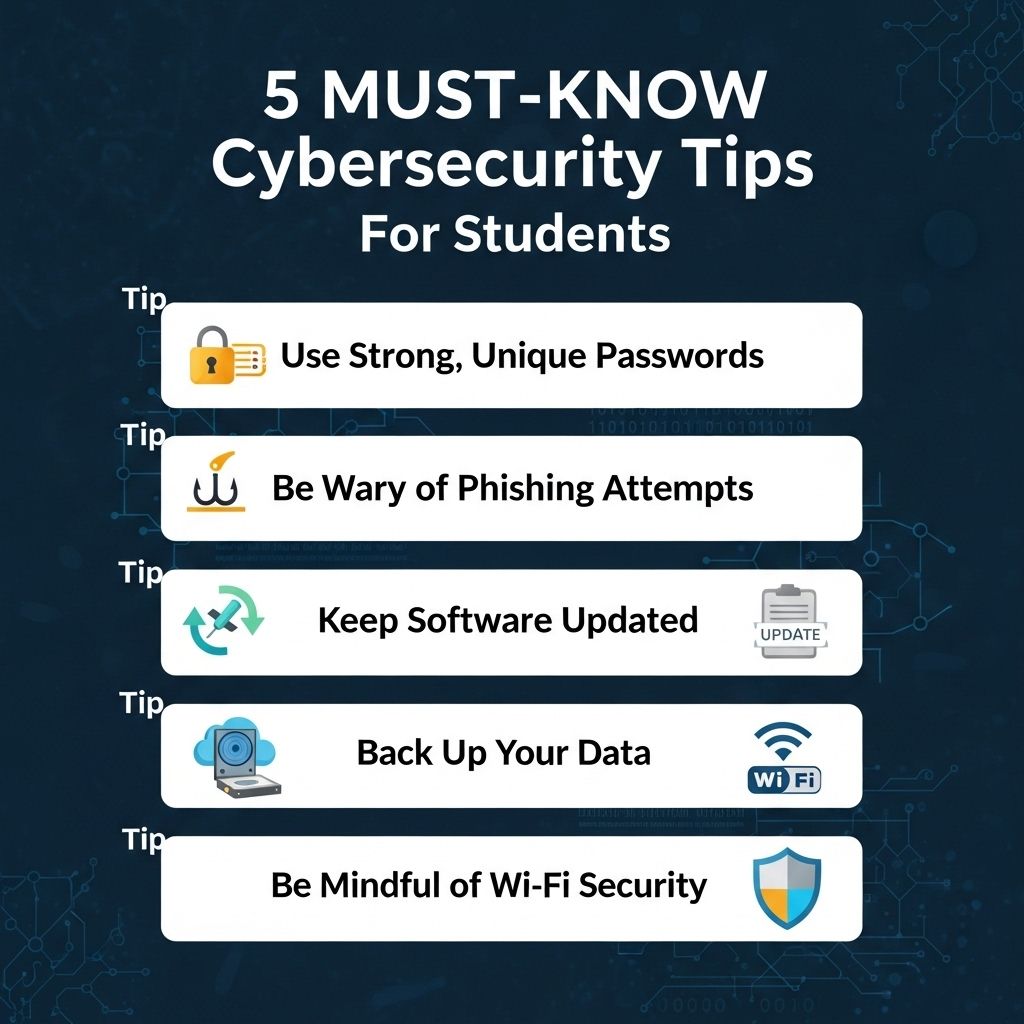
In today’s digital age, cybersecurity is more important than ever, especially for students who often rely on technology for their academic success. From online learning platforms to social media, the internet offers both vast opportunities and significant risks. Understanding how to protect personal information and navigate the cyber world safely is essential for students. This article outlines five must-know cybersecurity tips that every student should adopt to ensure their online safety and security.
As students increasingly rely on technology for their education, understanding cybersecurity becomes essential. Implementing effective security practices not only protects personal information but also enhances overall digital safety. Explore these 5 must-know cybersecurity tips to stay safe online, and for visually engaging resources, you can view 3D logo variations.
Table of Contents
1. Use Strong and Unique Passwords
One of the simplest yet most effective ways to protect your online accounts is by using strong and unique passwords. Here are key considerations for creating effective passwords:
- Length: Aim for at least 12 characters.
- Complexity: Use a mix of uppercase letters, lowercase letters, numbers, and special characters.
- Uniqueness: Don’t reuse passwords across multiple sites.
- Passphrases: Consider using a phrase or sentence as your password for better memorability.
Tools for Password Management
Managing numerous strong passwords can be challenging. Consider using a password manager to securely store your passwords:
| Tool | Features |
|---|---|
| LastPass | Free and premium versions; browser extension; mobile app. |
| 1Password | Family plans; travel mode; secure sharing. |
| Bitwarden | Open-source; free version; end-to-end encryption. |
2. Enable Two-Factor Authentication
Two-factor authentication (2FA) adds an extra layer of security to your accounts. Here’s how it works:
- After entering your password, you will receive a code via text message or an authentication app.
- Enter this code to gain access to your account.
Enabling 2FA significantly reduces the risk of unauthorized access, even if your password is compromised.
Popular 2FA Methods
- SMS Codes: Receive a code via SMS which you enter after your password.
- Authentication Apps: Use apps like Google Authenticator or Authy for generating codes.
- Hardware Tokens: Use physical devices that generate or receive authentication codes.
3. Keep Software and Devices Updated
Outdated software and devices can leave your systems vulnerable to cyber attacks. Regular updates often include security patches that address known vulnerabilities. Here are steps to ensure your devices are updated:
- Enable automatic updates for your operating system and applications.
- Regularly check for updates on your devices.
- Keep antivirus software up to date.
The Importance of Updates
Updating software is critical for:
- Fixing security vulnerabilities that hackers exploit.
- Improving system performance and functionality.
- Ensuring compatibility with other applications and services.
4. Be Wary of Phishing Attacks
Phishing attacks are a common method used by cybercriminals to steal personal information. They often come in the form of emails or messages that appear legitimate but contain malicious links or attachments. Here’s how to recognize and avoid phishing attempts:
- Check the sender’s email address: Look for inconsistencies or misspellings.
- Hover over links: Before clicking, hover over links to see their true destination.
- Look for urgent language: Be skeptical of messages that create a sense of urgency.
What to Do If You Encounter a Phishing Attempt
- Do not click any links or download attachments.
- Report the email or message to your institution’s IT department.
- Delete the suspicious communication immediately.
5. Secure Your Wi-Fi Network
Many students rely on Wi-Fi networks, whether at home or on campus. Securing your Wi-Fi network is crucial to prevent unauthorized access. Follow these steps to secure your network:
- Change the default router settings: Update the default username and password for your router.
- Use WPA3 encryption: Ensure your Wi-Fi uses the latest encryption standard.
- Disable guest networks: If not needed, disable guest access to prevent unauthorized users.
Best Practices for Public Wi-Fi Use
Public Wi-Fi networks can be risky. Here are tips for safer usage:
- Avoid sensitive transactions: Don’t access bank accounts or enter personal information.
- Use a VPN: A Virtual Private Network can help secure your connection.
- Forget the network: After use, forget the Wi-Fi network on your device to avoid automatic connection.
Conclusion
By adopting these five essential cybersecurity tips, students can significantly enhance their online safety and security. As technology continues to evolve and cyber threats become more sophisticated, it is crucial to stay informed and proactive in protecting personal information. Implementing strong passwords, enabling two-factor authentication, keeping software updated, being vigilant against phishing, and securing Wi-Fi networks are all critical steps every student should take to navigate the digital landscape safely. Remember, cybersecurity is not just an IT problem; it’s everyone’s responsibility.
FAQ
What are the essential cybersecurity tips every student should follow?
Students should use strong passwords, enable two-factor authentication, keep software updated, avoid public Wi-Fi for sensitive transactions, and be cautious with personal information online.
Why is it important for students to use strong passwords?
Strong passwords are critical to protect personal accounts and sensitive information from unauthorized access and cyber threats.
How can students recognize phishing attempts?
Students should look for suspicious emails or messages that ask for personal information, contain unexpected attachments, or come from unknown sources.
Is it safe to use public Wi-Fi for online activities?
Public Wi-Fi can be insecure, so students should avoid accessing sensitive information or making transactions while connected to these networks.
What should students do if they think their account has been hacked?
Students should change their passwords immediately, enable two-factor authentication, and monitor their accounts for any unauthorized activity.
How can students protect their personal information on social media?
Students should adjust privacy settings, be selective about what they share, and avoid posting sensitive information that could be exploited.