Mastering Talking Head Videos: Pro Tips
Learn how to record professional-quality talking head videos with expert tips on lighting, sound, and editing.
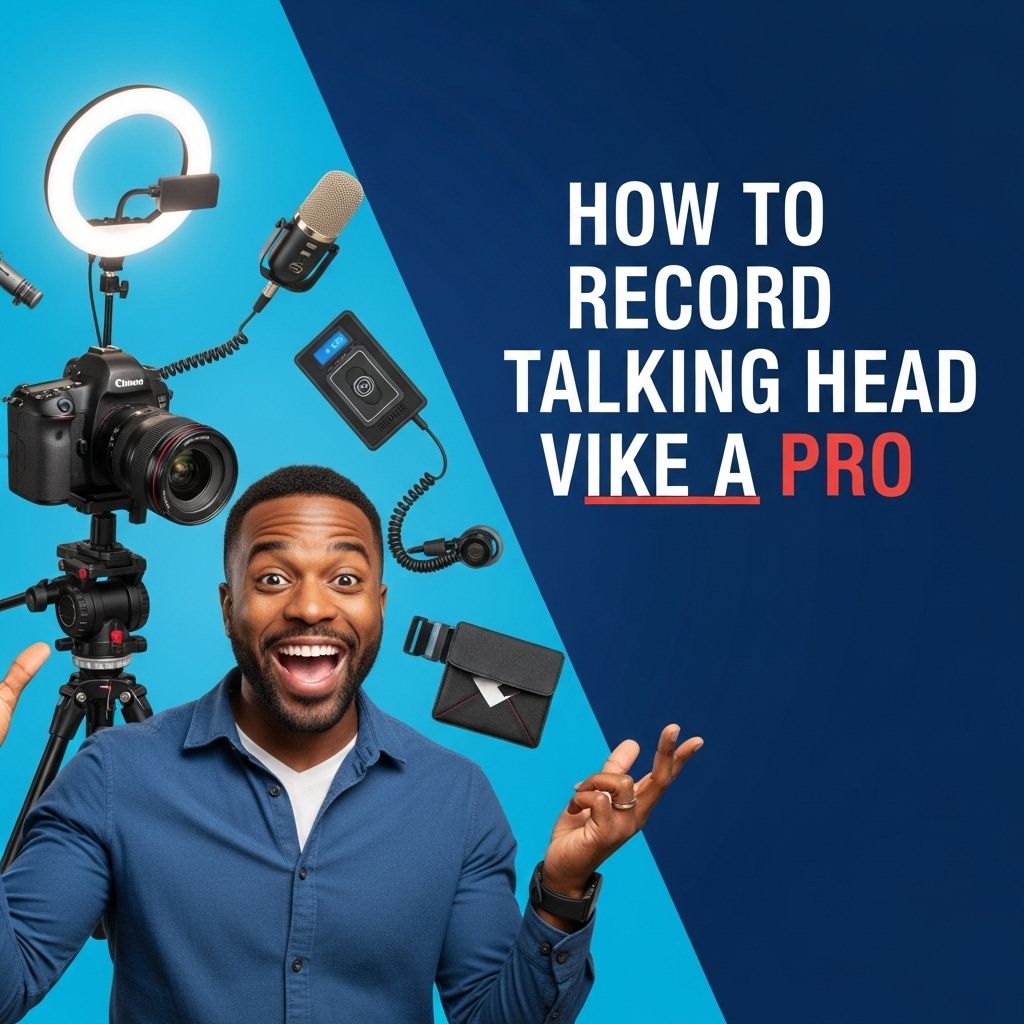
In today’s digital landscape, the ability to create high-quality talking head videos can significantly enhance your content strategy, whether for educational purposes, marketing, or personal branding. Talking head videos, where the presenter speaks directly to the camera, are a powerful way to connect with your audience. This article outlines the essential tips and techniques for recording talking head videos like a professional.
Creating engaging talking head videos is an art that blends effective communication with technical skills. To captivate your audience, it’s essential to master the nuances of presentation, lighting, and sound. For branding elements, professional visuals can enhance your content; you can download stunning logo mockups to elevate your video quality.
Understanding the Basics of Video Production
Before you dive into the specifics of recording, it’s crucial to have a grasp of the fundamental elements of video production, which include:
- Lighting: Proper lighting is essential for achieving a professional look.
- Audio: Clear audio quality is just as important as video quality.
- Framing: The composition of your shot impacts how your audience perceives you.
- Background: A clean and uncluttered background ensures that the focus remains on you.
Essential Equipment for Talking Head Videos
To achieve professional-quality videos, consider investing in the following equipment:
Camera
A good camera is the cornerstone of any video production. While many smartphones can record high-quality video, a dedicated DSLR or mirrorless camera will provide better image quality.
Microphone
Investing in a good microphone is crucial for clear audio. Options include:
- Lavalier Microphones: Small clip-on mics that are great for hands-free recording.
- Shotgun Microphones: Directional mics that capture sound from a specific area.
- USB Microphones: Ideal for direct connection to a computer.
Lighting Equipment
Good lighting can dramatically improve your video quality. Consider using:
- Softbox Lights: Provide soft, even lighting.
- Ring Lights: Create a flattering, even light around your face.
- LED Panels: Versatile and adjustable for various lighting conditions.
Setting Up Your Recording Environment
Your recording environment can make or break your video quality. Here are some tips for setting it up effectively:
Choose the Right Space
Select a quiet room with minimal background noise. A dedicated workspace reduces distractions and enhances focus.
Control the Lighting
Natural light is great, but it can be inconsistent. If using natural light, aim for a time when the light is soft, such as early morning or late afternoon.
Background Setup
Your background should complement your message, not overshadow you. Options include:
| Background Type | Description |
|---|---|
| Solid Color Wall | Simple and clean, keeps the focus on you. |
| Bookshelf | A personal touch that can add character. |
| Green Screen | Allows for infinite background options in post-production. |
Planning Your Content
A well-structured script can help you deliver your message clearly and confidently. Consider the following steps:
Create an Outline
Organizing your thoughts beforehand will guide your delivery. A sample outline might include:
- Introduction: Hook your audience.
- Main Points: List and elaborate on 2-3 key points.
- Conclusion: Summarize and provide a call to action.
Recording Your Video
With your equipment set up and content planned, it’s time to start recording. Here are some tips:
Check Your Framing
Use the rule of thirds to position yourself in the frame. Position your eyes approximately one-third from the top of the frame.
Practice Your Delivery
Rehearse your script to feel more confident in front of the camera. Consider recording a test video to evaluate your performance.
Engage with the Camera
Look directly into the lens as if you are speaking to a friend. This creates a personal connection with your audience.
Editing Your Talking Head Video
Post-production is where your video comes to life. Follow these steps for effective editing:
Select the Right Software
Choose video editing software that suits your skill level. Popular options include:
- Adobe Premiere Pro: Professional-grade with advanced features.
- Final Cut Pro: Great for Mac users.
- DaVinci Resolve: Powerful free option.
Add Elements to Enhance Your Video
Consider including:
- Text Overlays: To highlight key points.
- Images or Video Clips: To illustrate your message.
- Background Music: To create a mood, but ensure it’s not distracting.
Publishing and Promoting Your Video
Once your video is edited and ready to go, consider these strategies for publishing and promoting:
Choosing the Right Platform
Decide where to host your video based on your target audience. Options include:
- YouTube: The largest video-sharing platform.
- Vimeo: Great for professional portfolios.
- Social Media: Engage followers on platforms like Instagram or Facebook.
Optimize for SEO
To improve visibility, include relevant keywords in your title, description, and tags. Consider creating a thumbnail that stands out.
Engage Your Audience
Encourage viewers to comment, share, and subscribe. Responding to comments can help build a community around your content.
Conclusion
Recording talking head videos like a pro takes practice and attention to detail. By investing in quality equipment, carefully planning your content, and utilizing effective editing techniques, you can create engaging videos that resonate with your audience. With time and experience, you’ll refine your skills and develop a unique style that sets you apart in the crowded digital landscape.
FAQ
What equipment do I need to record talking head videos?
To record talking head videos like a pro, you’ll need a good camera, a quality microphone, proper lighting, and a stable tripod.
How can I improve the lighting for my talking head videos?
Use soft, diffused lighting from multiple sources, such as softbox lights or ring lights, to eliminate harsh shadows and create a professional look.
What is the best background for talking head videos?
A clean, uncluttered background works best. Consider using a solid color, a professional backdrop, or a relevant setting that enhances your message.
How can I ensure good audio quality in my videos?
Use an external microphone, record in a quiet environment, and consider using pop filters or windshields to reduce unwanted noise.
What tips can I follow for effective delivery in talking head videos?
Practice your script, maintain eye contact with the camera, use natural gestures, and vary your tone and pace to keep the audience engaged.
How should I edit my talking head videos?
Use video editing software to trim unnecessary parts, add transitions, include captions, and enhance audio and visual quality for a polished final product.