Mastering Storyboarding: A Complete Guide for Video Creators
Learn how to master storyboarding for videos with our comprehensive guide, covering techniques, tips, and tools to enhance your storytelling.
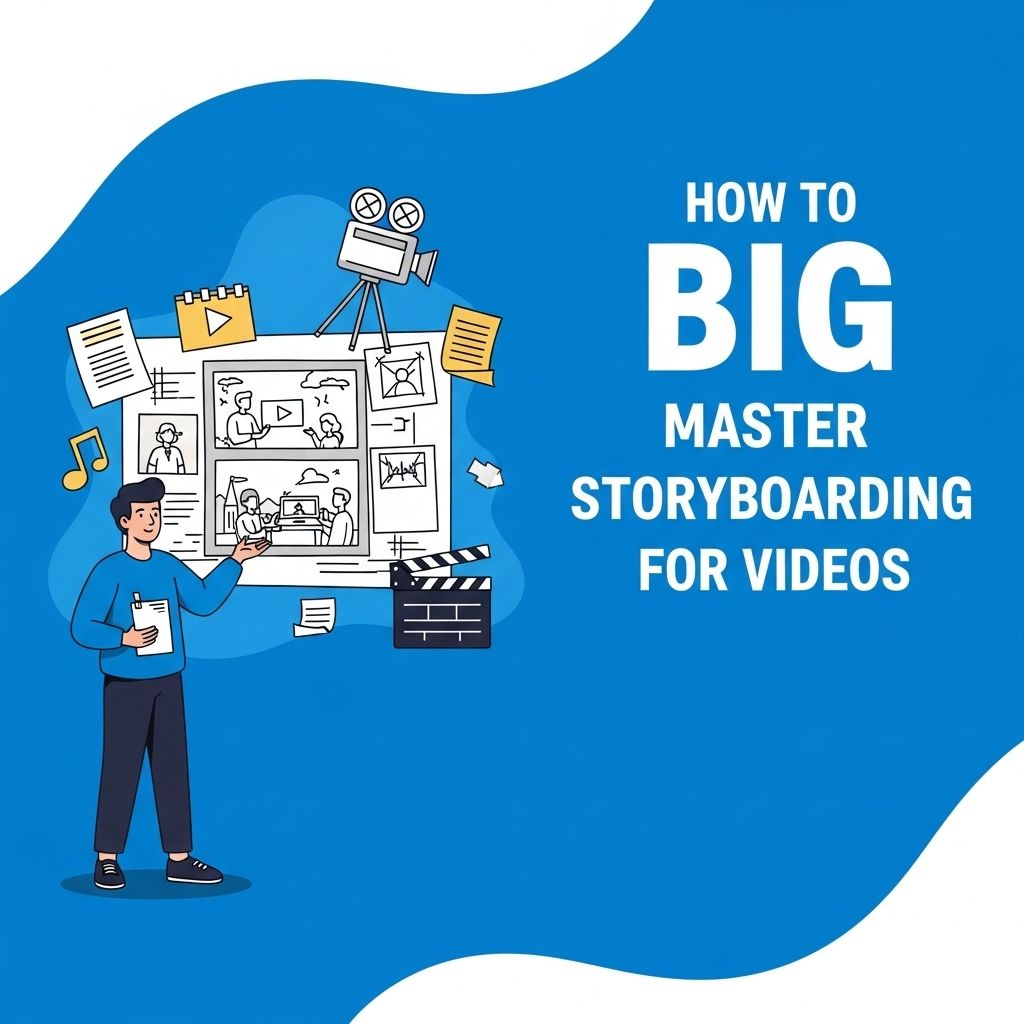
Creating compelling videos is not just about having the right equipment or an eye-catching concept; it requires meticulous planning and visualization. This is where storyboarding comes into play. By effectively utilizing storyboards, creators can streamline their production process, ensure narrative coherence, and enhance the overall quality of their videos. In this article, we will delve deep into the art of storyboarding, discussing its importance, key components, and practical tips to master the skill.
Storyboarding is an essential skill for video creators, providing a visual blueprint that helps streamline the production process and enhance storytelling. This guide will walk you through the intricacies of mastering storyboarding to bring your video ideas to life efficiently. For those looking to elevate their projects, consider checking out explore our logo mockup collection for branding inspiration.
Understanding Storyboarding
Storyboarding is the visual representation of a video’s sequence, akin to a comic strip that outlines the scenes, characters, and actions. It serves as a blueprint for the production team, allowing them to visualize the story before filming begins. Here are some key benefits of storyboarding:
- Visual Planning: Provides a clear visual of how the story unfolds.
- Improved Communication: Ensures everyone on the team understands the vision.
- Time Management: Helps in scheduling shoots efficiently by understanding scene requirements.
- Cost Efficiency: Minimizes the chances of costly reshoots through thorough planning.
Key Components of a Storyboard
A well-constructed storyboard typically contains several essential components. Familiarizing yourself with these elements is crucial for effective storyboarding:
Frames
Each frame represents a single shot or scene, often illustrated with sketches or images. A frame should capture key elements of the shot, including:
- Characters and their positions
- Background and setting
- Props and special effects
Cinematic Details
Alongside the visual representation, it’s vital to include notes that detail the cinematic aspects of each frame:
- Camera Angles: Specify if it’s a close-up, wide shot, etc.
- Movement: Describe camera movements like pans or tilts.
- Transitions: Indicate how scenes will flow from one to another.
Audio Cues
Don’t forget to include audio details such as dialogue, sound effects, and music placements. This adds another dimension to the storyboard, ensuring that the auditory experience aligns with the visuals.
Creating Your Storyboard
Now that we understand the components of a storyboard, let’s explore the step-by-step process of creating one.
Step 1: Gather Your Ideas
Before you start drawing, brainstorm the concept of your video. Consider the following:
- The main message or theme
- The target audience
- The tone and style of the video
Step 2: Write a Script
A script acts as the foundation for your storyboard. Write down the dialogue and key actions that will occur in each scene. This will guide your visual representation.
Step 3: Sketch the Frames
Using either traditional pen and paper or digital tools, start sketching each frame based on your script. You don’t need to be an artist; simple stick figures and shapes will suffice to convey your ideas.
Step 4: Add Details
Include the cinematic details and audio cues for each frame. This will provide a comprehensive guide for the production team. You can utilize a storyboard template or create a custom layout that suits your needs.
Step 5: Review and Revise
Once your storyboard is complete, review it critically. Ensure that the story flows logically, and make revisions as needed. Seek feedback from team members or peers to get different perspectives on your storyboard.
Tools for Storyboarding
Several tools can aid in the storyboarding process, ranging from freehand sketching to sophisticated software. Here’s a breakdown of popular options:
| Tool | Type | Price | Platform |
|---|---|---|---|
| Storyboard That | Web-based | Free/Paid | Browser |
| ShotPro | Mobile/Desktop App | $29.99 | iOS/Android/PC |
| Adobe Illustrator | Graphic Design Software | Subscription | Mac/Windows |
| FrameForge | 3D Storyboarding Software | $149 | Mac/Windows |
Tips for Effective Storyboarding
To make your storyboarding process more effective, consider the following tips:
- Keep it Simple: Focus on clarity over complexity. Your sketches don’t need to be perfect.
- Use Color Coding: Differentiate between characters, scenes, or types of shots using color.
- Stay Flexible: Be prepared to make changes as ideas evolve during production.
- Practice Regularly: The more you storyboard, the more skilled you’ll become.
Conclusion
Mastering storyboarding is an invaluable skill for anyone involved in video production, from amateurs to professionals. By visualizing your narrative, enhancing communication, and ensuring efficient use of resources, you set the foundation for a successful video project. Remember to keep practicing, utilize the right tools, and always seek feedback. With dedication, you’ll find that storyboarding can transform your video-making process, leading to more compelling and engaging stories.
FAQ
What is storyboarding in video production?
Storyboarding is the process of creating a visual representation of a video by sketching out each scene or shot, helping to plan the flow and structure of the narrative.
Why is storyboarding important for video projects?
Storyboarding is crucial as it allows creators to visualize the sequence of scenes, organize ideas, and identify potential issues before filming, ultimately saving time and resources.
How do I create an effective storyboard for my video?
To create an effective storyboard, start by outlining your script, then break it down into scenes, sketch each scene’s key elements, and include notes on actions, dialogue, and camera angles.
What tools can I use for storyboarding?
You can use a variety of tools for storyboarding, including traditional pen and paper, digital software like Storyboard That or Canva, or even specialized apps like ShotPro.
How can I improve my storyboarding skills?
To improve your storyboarding skills, practice regularly, study professional storyboards, seek feedback from peers, and explore online courses or tutorials on visual storytelling.